Finding a FamCamp Shouldn't Feel Like a Military Operation
There is no single official list of every FamCamp. The official pages are a mess: incomplete, out of date, and scattered across installations. Service members and veterans have had to rely on third-party resources to unscramble it: books, forums, civilian apps, and outdated single-platforms.
To help you choose the right tool for your next trip, we broke down the typical ways people search for FamCamps alongside a new veteran-built platform designed to put live maps, satellite views & gate details into a single, dedicated tool. Here is how they compare on cost, data accuracy, and convenience.

1. Social Media Communities: Facebook Groups
Search "Military RVing" on Facebook, and you will find active communities with tens of thousands of members sharing daily trip updates, quick road photos, and recent stay experiences.
The Advantage: Unbeatable crowd-sourcing for real-time chatter. It is a great place to ask a quick question, browse recent photos, or catch wind of recent stay reports.
The Reality: Facebook is a feed, not a map and not a listing. The next camper has to search the thread again. The review, gate details, and the phone number are not sitting there one convenient click away.
2. Dedicated Web Forums: MilitaryCampgrounds.us
When military RVers tell you to "check the comments," they are usually referring to MilitaryCampgrounds.us. It hosts one of the deepest, most authentic archives of camper feedback available.
The Advantage: The web-based campground listings and user discussions are completely free to access and offer invaluable anecdotal details on site conditions and long-form reviews.
The Reality: The interface functions like a classic web directory rather than a modern mobile app. While an offline desktop application exists for $15.95 per year, it is strictly built for Windows PCs, leaving Mac, iPhone, and Android users without a dedicated offline mobile software experience. It is, however, one of the most reliable sources available, and it has been around the longest. Several MWR sites cite it, and like VetCamps, it is Veteran built. It is the top choice for a web-based resource or desktop standalone software.
3. General Commercial RV Directories: RV Parky
RV Parky is a broad, North American commercial directory covering everything from private RV resorts and state parks to Walmart parking lots and military sites.
The Advantage: It excels at general trip planning across all park types. The free tier maps routes up to three stops, while the Pro tier ($19.99/year) unlocks longer trips and RV-specific routing. The free tier has ads. The VetCamps free version is ad-free. The user comments on listings run deep.
The Reality: Because it is a general civilian app, military-specific listings take a back seat. Base-specific rules, military patron requirements, gate clearance limits, and updated FamCamp rates are often missing or rely on older user reports.
4. Legacy Niche Apps: AllStays CRV
AllStays CRV (Military FamCamp Campgrounds) is a dedicated, ad-free app built specifically for current and former service members.
The Advantage: It focuses strictly on roughly 200 military campgrounds nationwide in a clean, standalone interface.
The Reality: Availability is restricted entirely to iOS (iPhone and iPad), leaving Android users completely excluded. Additionally, development on the free standalone FamCamp app has stalled, with key builds remaining on older releases, meaning its interface and core listing details reflect aging data. There have been no updates since 2022.
5. Print Paperback
A classic print paperback covers more than 350 military installations worldwide.
The Reality: It is a static print paperback. You cannot pan an interactive map, toggle satellite view, filter by hookups, or tap for live GPS routing.
The Advantage: Zero dependence on cell signal, Wi-Fi, or battery health makes it an emergency backup in absolute dead zones.
6. The Purpose-Built Solution: VetCamps
VetCamps was created to fix the exact frustration of hunting down scattered information across feeds, forums, and outdated directories.
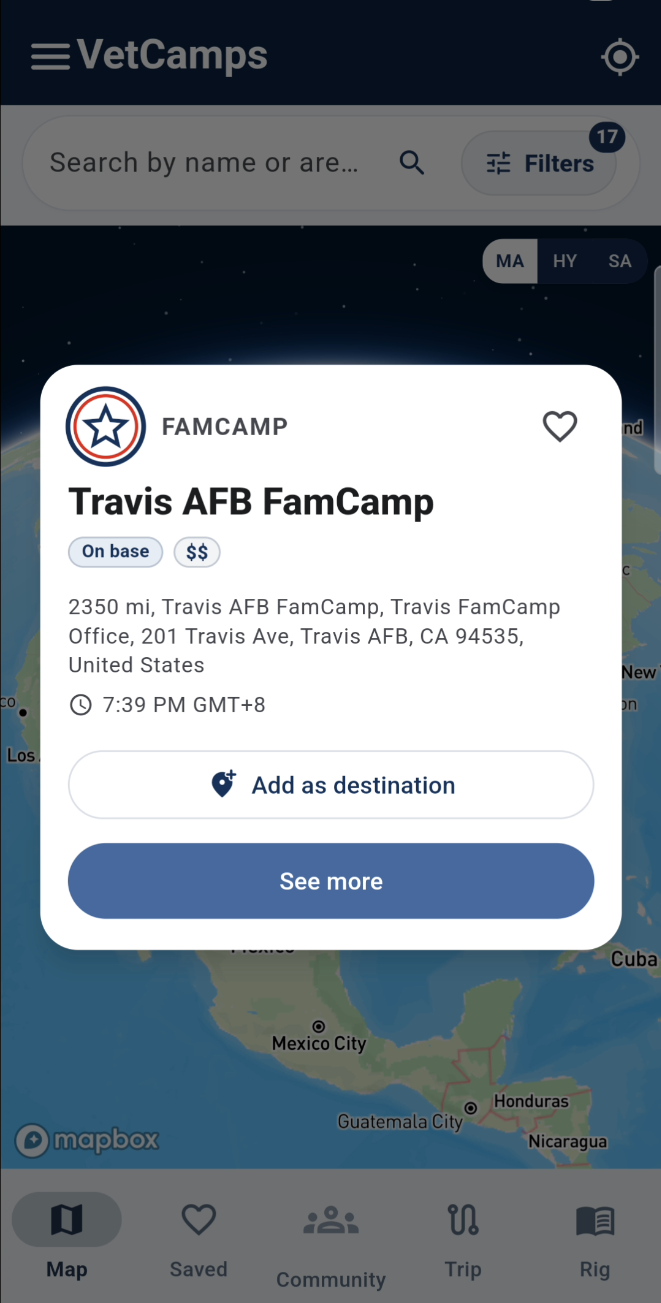
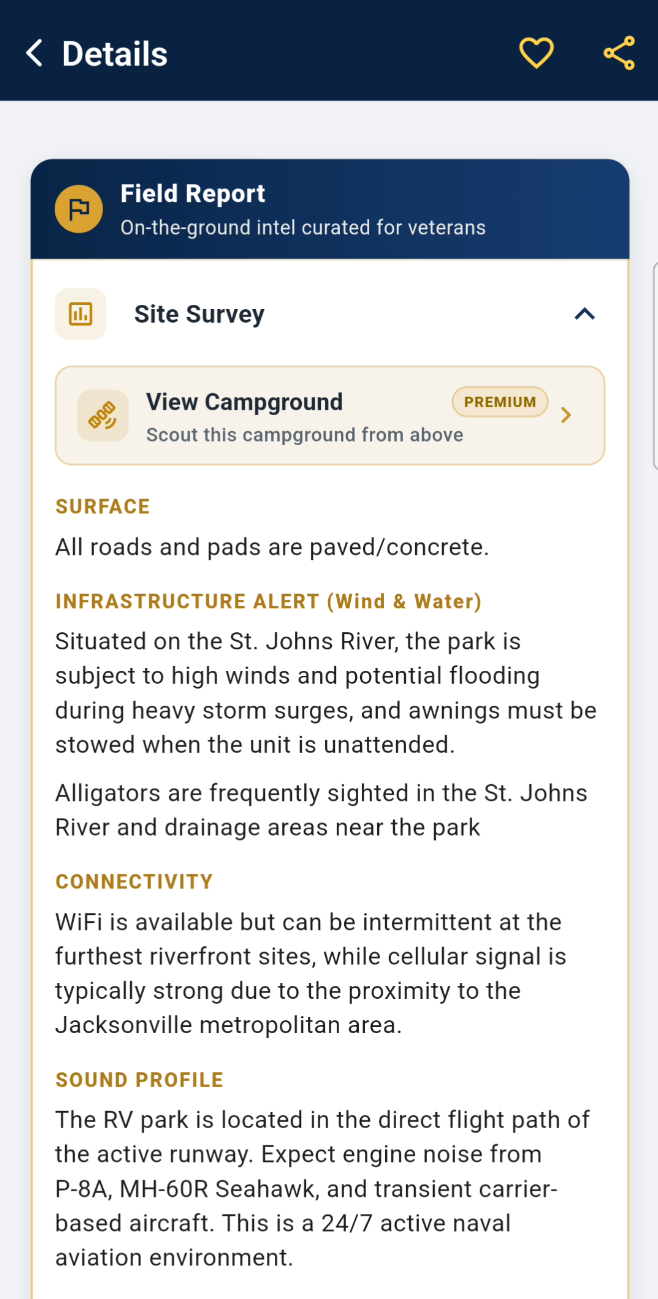
All-in-One Location Details: Instead of digging through comments or searching unindexed social feeds, VetCamps puts everything on an interactive map. Every pin gives you an instant details page: direct GPS directions, satellite maps, gate details, big rig info, check-in rules, and organized camper reviews.
Real Talk on Data: Military campgrounds change fast, so no directory will ever be 100% perfect. But VetCamps was built from scratch on a modern platform, on both iOS and Android, so a listing can be updated when the details change.
Public Lands Included: Covers 236 FamCamps alongside 1,338 Army Corps of Engineers (USACE) sites, BLM, National Forests, and National Parks, helping you bridge the gap between military bases and public land camping.
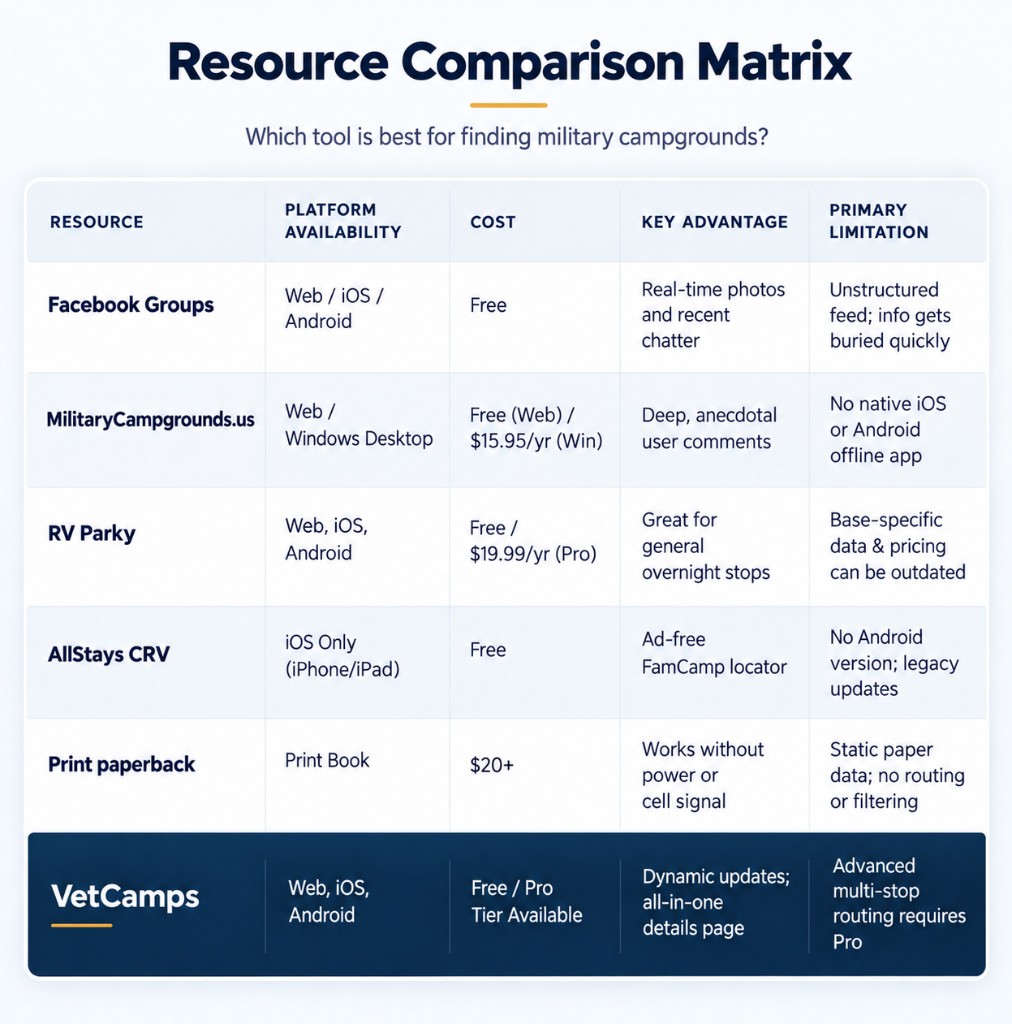
The Bottom Line
Every resource has its place on the road:
Use Facebook Groups when you want to browse casual photos or post a quick question to the community.
Use community forums when you want long-form, detailed anecdotes from another camper's past stay.
Keep a print directory in the glovebox as a zero-power backup for severe cell dead zones.
Use VetCamps when you want an instant, dedicated details page: map, satellite view, GPS coordinates, gate rules, and organized reviews, all attached to one pin without the search hassle.
On the phone
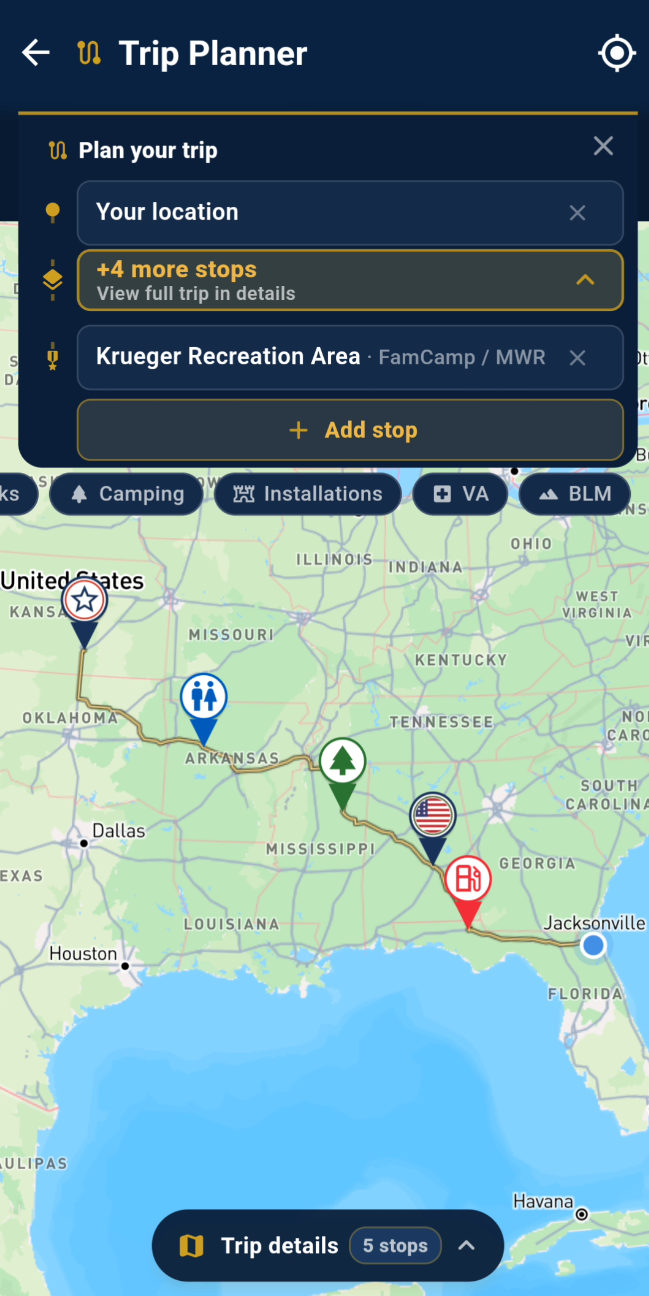
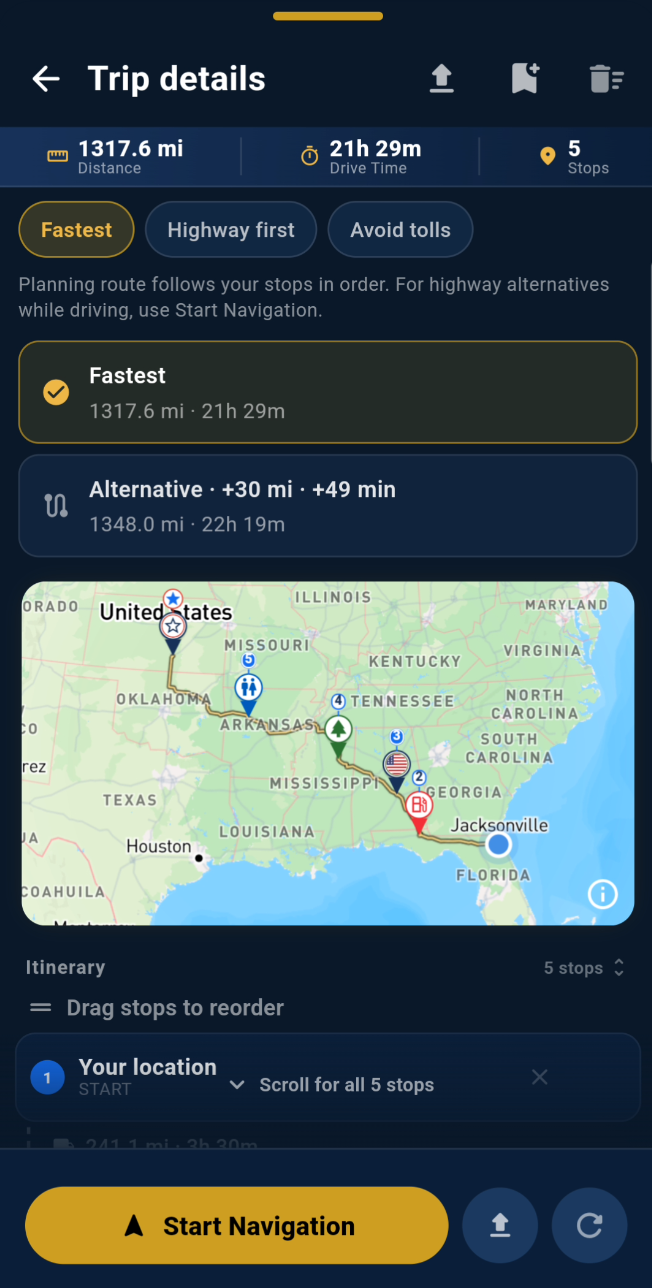
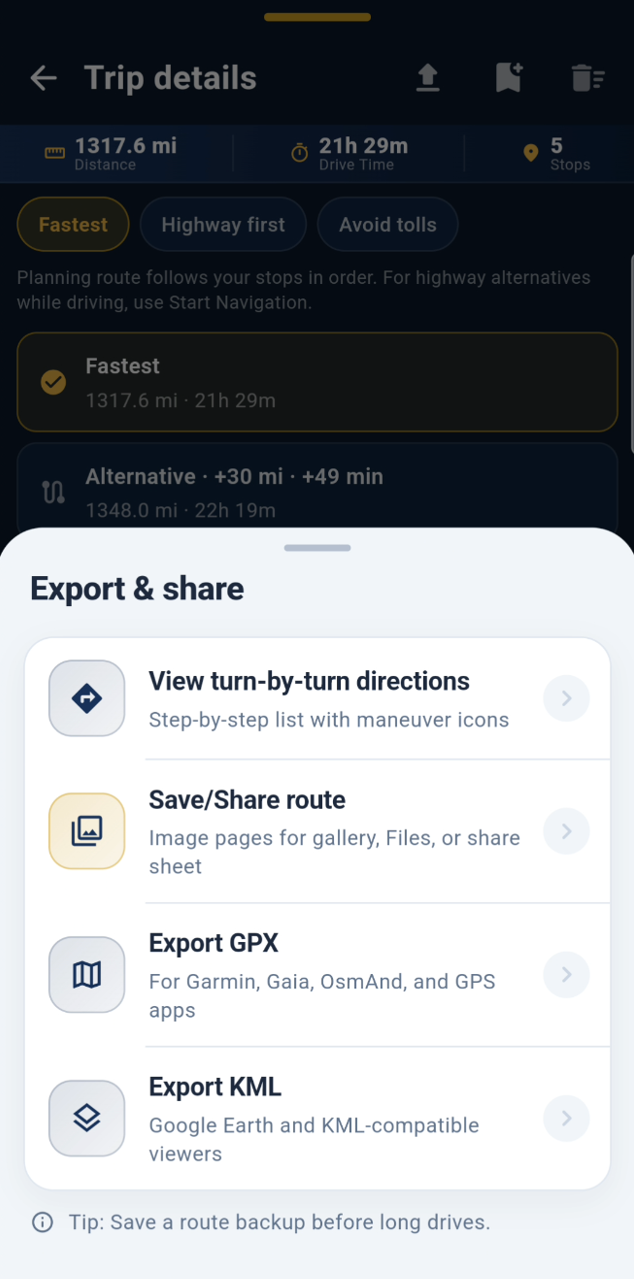
The same map on iPhone and Android. FamCamps, gates, and a trip you can build in the app.


More field notes in Guides.